
MSWordDocument
1.48
extract
text from MS Word documents
|
|
MSWordDocument
1.48 |
TMSWordDocument ( )
allows to read any Word document directly without OLE automation of
MS Word application. MS Word installed is not required at all.
)
allows to read any Word document directly without OLE automation of
MS Word application. MS Word installed is not required at all.
TMSWordXDocument is a parser for MS Word 2007/2010 documents.
This is a native parser and no external libraries required.
TWordPerfectFile allows to read any Word Perfect (Corel Office)
document (without any external library too) with all formattings
(fonts/colors/alignments etc).
TWRIFile allows to read any MS Write document and extract plain
text and all formattings.
TOpenOfficeTextDocument, TOpenOfficeSpreadsheet, TOpenOfficePresentation allows to parse the files from Open Office documents, spreadsheets and presentations
TSMPDFReader allows to parse any Acrobat Reader documents and extract the text.
TPalmDocFile and TFictionBook allows to read the text from ebook formats (PalmDoc and FB2).
Direct text extraction allow to process large
documents very-very fast. Summary Information is available too.
You may use this component to provide a search engine - for
example, find document where some substring is occured or to
display summary information and text preview in own file manager.
Complex documents (fast-saved, multi-piece
files) are supported.
Localized MS Word versions are supported too - German, French,
Dutch, Spanish, Portuguese, Italic, Danish, Swedish, Cyrillic
(Russian, Ukrainian etc), Hebrew and others
Documents from files or streams (BLOB, archive, memory etc) could be parsed for plain text...
Additionally the parsers for Word Perfect and MS Write could convert the original document to html-file or rtf-file.
| Download (last updated: September 16, 2025) |
| Size | HTTP | |
| RAD Studio 13 Florence package v1.48b | 1.8Mb | smword148d13.zip |
| RAD Studio 12 Athens package v1.48b | 700Kb | smword148d12.zip |
| RAD Studio 11 Alexandria package v1.48b | 700Kb | smword148d11.zip |
| RAD Studio 10 Seattle/10.1 Berlin/10.2 Tokyo/10.3 Rio/10.4 Sydney packages v1.48b | 3.3Mb | smword148rx10.zip |
| RAD Studio XE7/XE8 packages v1.48b | 1.2Mb | smword148xe78.zip |
| RAD Studio XE6 package v1.46b | 0.6Mb | smword146xe6.zip |
| RAD Studio XE5 package v1.48 | 0.7Mb | smword148xe5.zip |
| RAD Studio XE4 package v1.46b | 0.6Mb | smword146xe4.zip |
| RAD Studio XE3 package v1.48b | 0.6Mb | smword148xe3.zip |
| RAD Studio XE2 package v1.47b | 0.6Mb | smword145xe7.zip |
| RAD Studio XE package v1.40b | 0.4Mb | smword140xe.zip |
| RAD Studio 2010 package v1.38b (Delphi and C++Builder) | 0.8Mb | smword138d2010.zip |
| BDS2009 package v1.45 (Delphi and C++Builder) | 0.8Mb | smword145d2009.zip |
| BDS2007 package v1.48b (Delphi and C++Builder) | 0.5Mb | smword148d2007.zip |
| BDS2006 package v1.32b (Delphi and C++Builder) | 0.4Mb | msword_bds2006.zip |
| Delphi 2005 package | 0.6Mb | msword_d2005.zip |
| Delphi 7 package v1.47 | 0.4Mb | smword147d7.zip |
| Delphi 6 package v1.38 | 0.4Mb | smword138d6.zip |
| Delphi 3/4/5/6/7/C++Builder 3/4/5/6 packages+demo | 1.2Mb | msword.zip |
| Compiled demo application (VCL) | 1.1Mb | msworddemo.zip |
| Compiled demo application (FMX) | 8.3Mb | msworddemo_fmx.zip |
You may use the
shareware trial version for 30 days with Delphi IDE running only.
If after 30 days you would like to continue using it, then you
should purchase a license.
PS: the trial version allows to read first 30Kb of text.
| Price |
| License fee is | |
| full suite with sources | 50 EUR |
| standard suite without sources | 35 EUR |
* you can distribute the own applications
absolutely free without any additional hidden fees
** one license allow to work with this component suite on one
computer only (one developer). You need as many licenses as many
developers will use these components
.*** the site license allow to use these components in company
with unlimited number of developers. The license fee is
5*(developer's fee)
| Order |
Products can be ordered online over the Internet using VISA, MasterCard or American Express credit card, Toll Free Phone, 24 Hour Fax, or Postal Mail at following sites:
| Benefits |
| Install instructions |
1) Unzip it to a created folder
2) Run Delphi or C++Builder IDE
3) Select Install packages... item in Component
menu
4) Press Add button and select a package file (SMWordD3.DPL
for D3, SMWordXX.BPL for Delphi 4/5/6/7/2005/2006/2007/2009/2010/XE/XE2/XE3/XE4/XE5/XE6/XE7 and C++Builder 3/4/5/6)
in installed directory
5) Press Ok button
6) Enjoy it. In the component palette on SMWord
page you can find installed new component
| FAQ |
You can find answers on frequently asked questions <here>
| Activate methods |
TMSWordDocument component have an Execute method. Call this method when
you specified a correct document to FileName property:
MSWordDocument.FileName := 'C:\My
Documents\Data_2002.doc';
MSWordDocument.Execute;
After that you may read parsed text using
PlainText property. For example, to load in Memo1 component:
Memo1.Lines.Text := MSWordDocument.PlainText.Text;
Also you may read SummaryInformation property that have a lot of sub-properties (like Author, LastSaved, PageCount etc)
| Activate methods |
Also you may read SummaryInformation property that have a lot of sub-properties (like Author, LastSaved, PageCount etc)
| Screenshots |
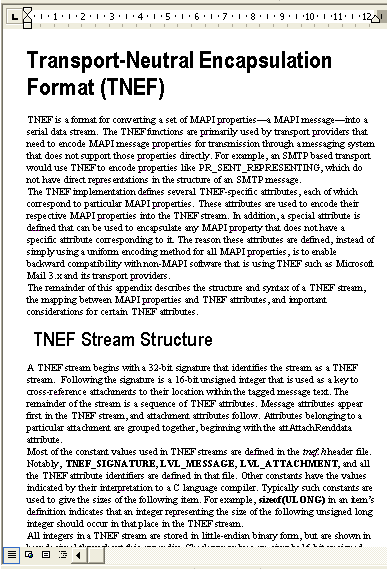
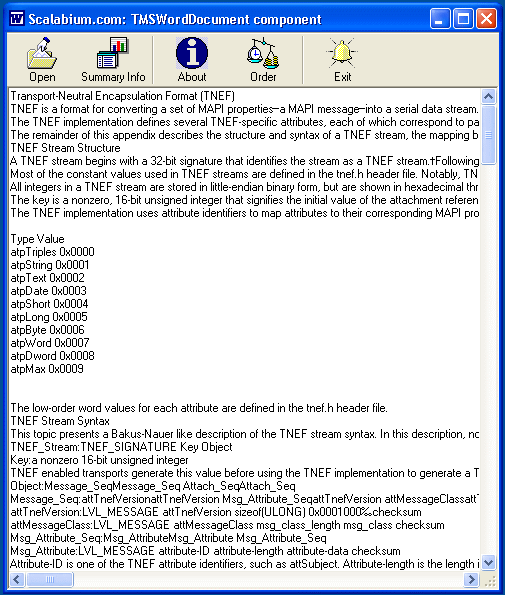
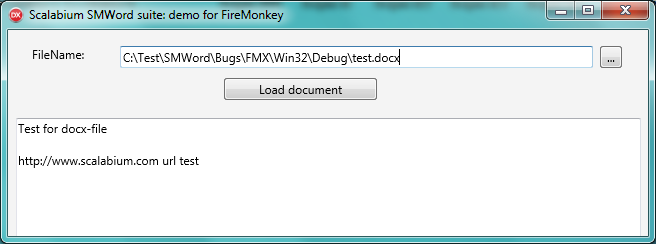
Try the MSWordDocument 1.48 before you buy it.
|
 |
Copyright© 1998-2026, Scalabium
Software. All rights reserved. |